
Installing Emby
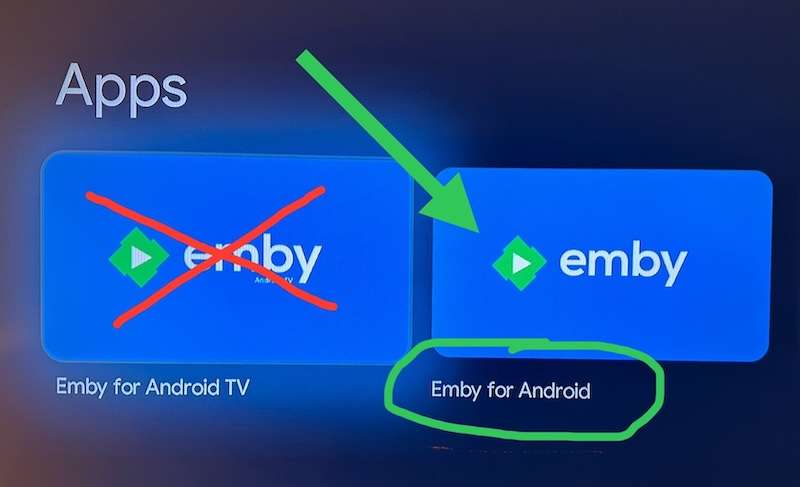
Google TV / Chromecast
- Emby for Android - ✅ Current with modern design and features
- Emby for Android TV - ❌ Outdated, missing features
FireTV
- Emby - ✅ Current with modern design and features
- Emby for Fire TV - ❌ Outdated, missing features
Which app should I use, and why?
Whichever device you're on, use the current Emby app — Emby for Android on Google TV / Chromecast, or Emby on Fire TV. These are the same modern app under two store names.
The older apps — Emby for Android TV and Emby for Fire TV — are still sitting in the app stores and are easy to install by mistake. Please don't use them. Here's why:
- They're no longer being developed. Emby has moved on to the current app. The old ones only get the occasional bug fix and are missing everything added since.
- They're being retired. Emby has confirmed the older TV apps will eventually be replaced by the current app. Switching now means nothing changes for you later.
- They have fewer features. The current app has more playback, subtitle and audio settings, and gives you more control over your home screen.
- They don't keep themselves current. The current app updates normally through your device's app store, so you're always on the latest version without doing anything.
- Playback is better. If you've been living with buffering, stuttering or slow starts on the older app, switching is often all it takes — members who reported those problems on the old app have found the current one plays smoothly.
Already using an older app? You can install the current app alongside it, sign in, and remove the old one whenever you're ready — you won't lose anything.
Setup / Connecting
Follow the instructions on the screen.
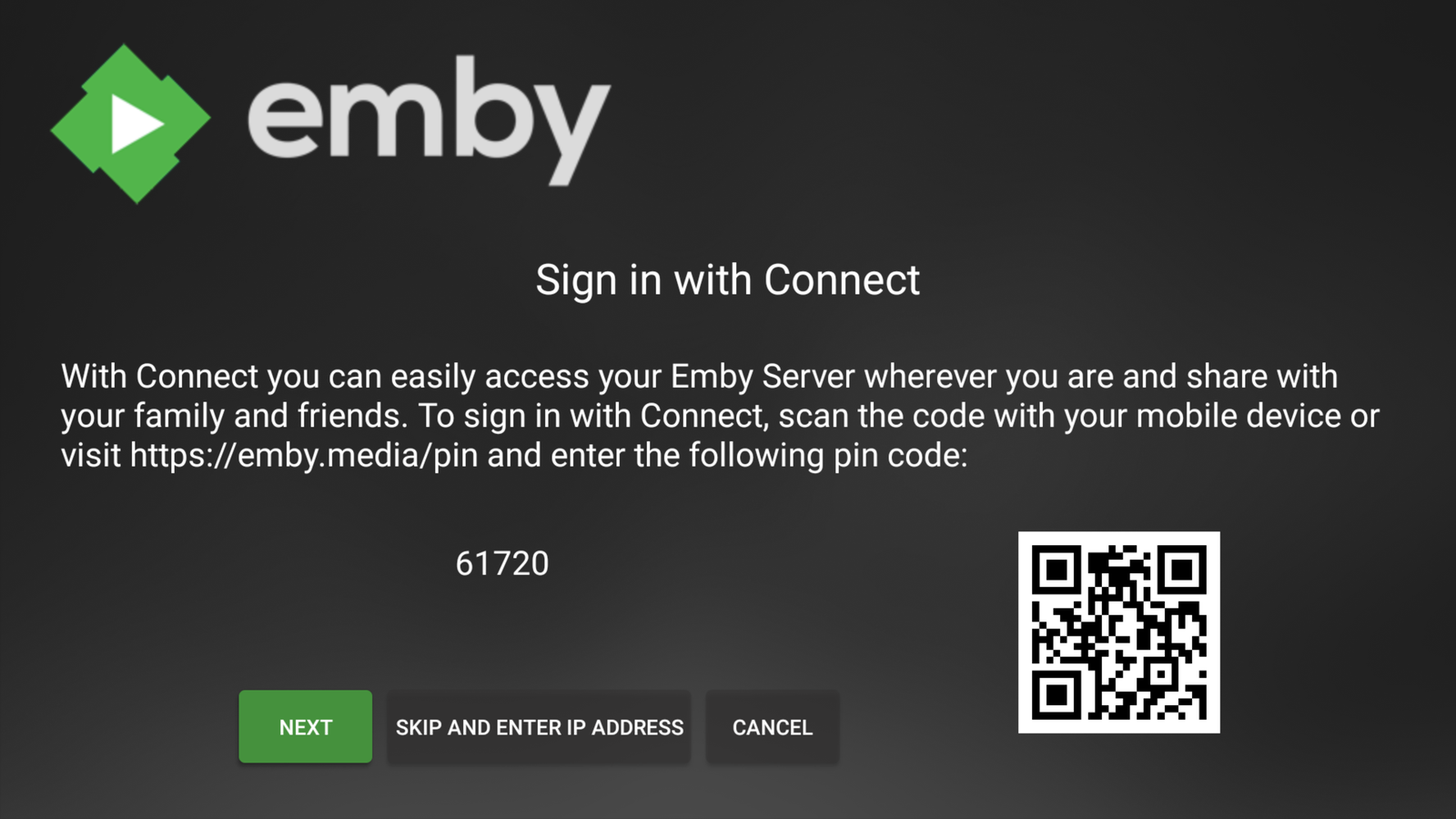
On another device go to https://emby.media/pin and enter your Emby Connect email address, password and the Pin code displayed on your screen.
Enter the login for your Emby Connect account here — this is not your Mediadrive members-area account. If you haven't set up Emby Connect yet, see Emby Pre-Signup Info.
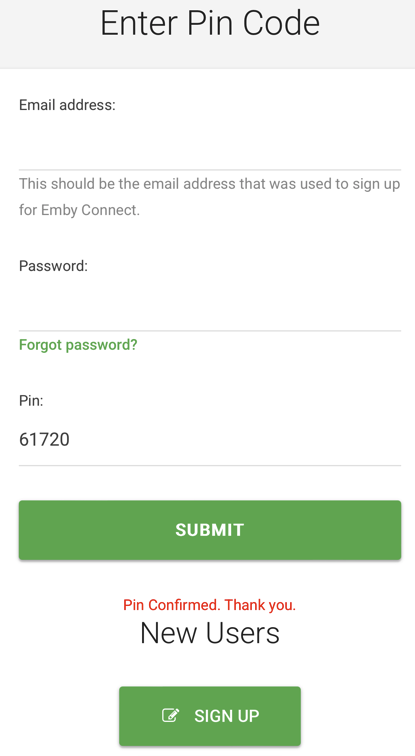
Once the code is submitted, go back to your TV and select Next — you're now signed in to Emby.