
Setup / Connecting
Install / Open the Emby app and follow the instructions on the screen.
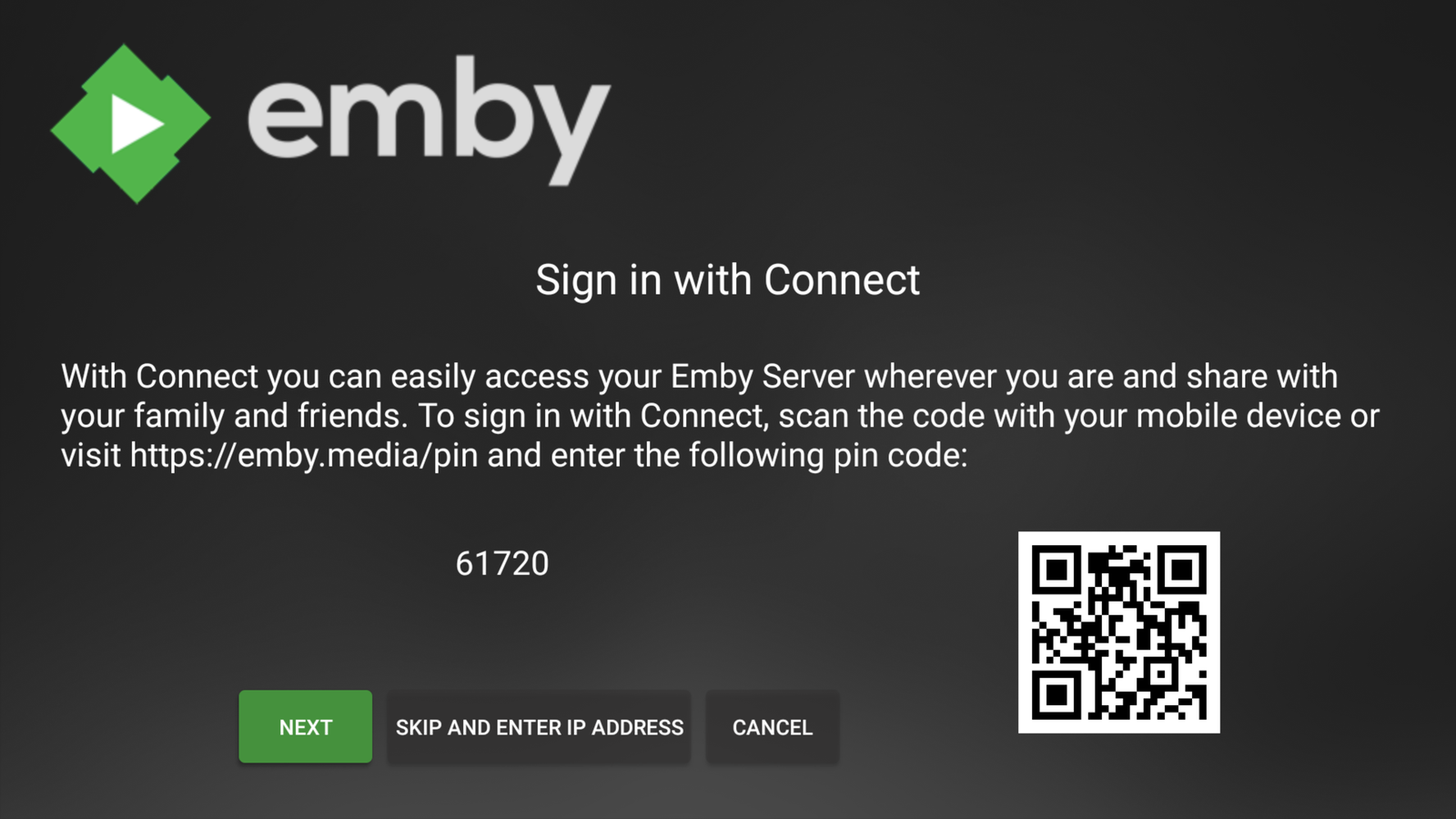
On a device with a browser open https://emby.media/pin and enter your Emby Connect email address, password and the Pin code displayed on your screen.
Enter the login for your Emby Connect account here — this is not your Mediadrive members-area account. If you haven't set up Emby Connect yet, see Emby Pre-Signup Info.
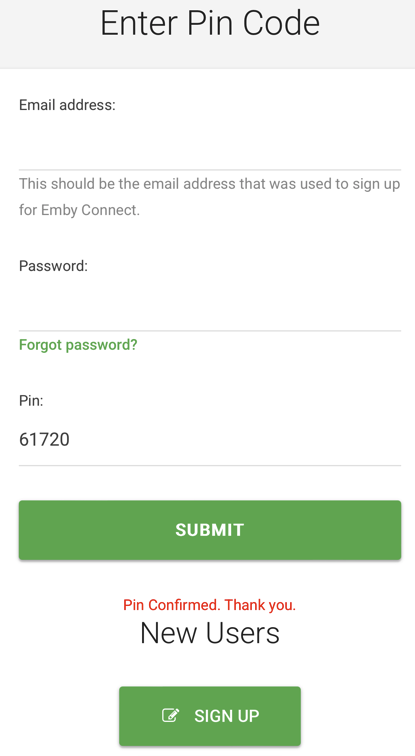
Once the code is submitted, go back to your TV and select Next — you're now signed in to Emby on your TV.